
GlotPress vs. PTC: How to Translate Your WordPress Theme or Plugin
Translating your WordPress plugin or theme is one of the best ways to reach more users. This page helps you figure out whether community translation through GlotPress is enough, or whether PTC is a better alternative.
The bottom line: With GlotPress, translations reach your users when volunteers get to them. With PTC, they are ready on release day.
Quick comparison
| GlotPress translate.wordpress.org |
GlotPress self-hosted |
Recommended PTC AI-powered |
|
|---|---|---|---|
| Translation quality | Variable. Depends entirely on who volunteers and their fluency. | Depends on translators you recruit and your review process. | Consistent AI translation with automated quality scores and suggested improvements on every string. |
| Setup time | Minimal. Submit to the WordPress repo and strings become available automatically. | Significant. Requires a dedicated WordPress install, project config, and locale setup. | Minutes. Follow the setup wizard and PTC begins translating immediately. |
| Timeline control | None. Strings are translated when volunteers get to them. | Partial. You control review, but still depend on translator availability. | Full. Translated in minutes, then a merge request is sent. You decide when to release. |
| Language coverage | Unpredictable. Popular plugins get coverage; smaller ones often get none. | Only the languages you can find translators for. | 40+ languages, on demand. Translate into as many as you need simultaneously. |
| Ongoing maintenance | Every new release means waiting again. No predictability. | Manual process repeated for each release. | Automatic. PTC monitors repo and sends updates when strings change. |
| Cost | Free, but coordination has time cost. | Free software, but high operational time cost. | Free trial, then Pay-As-You-Go pricing. |
GlotPress or PTC? Here is how to decide
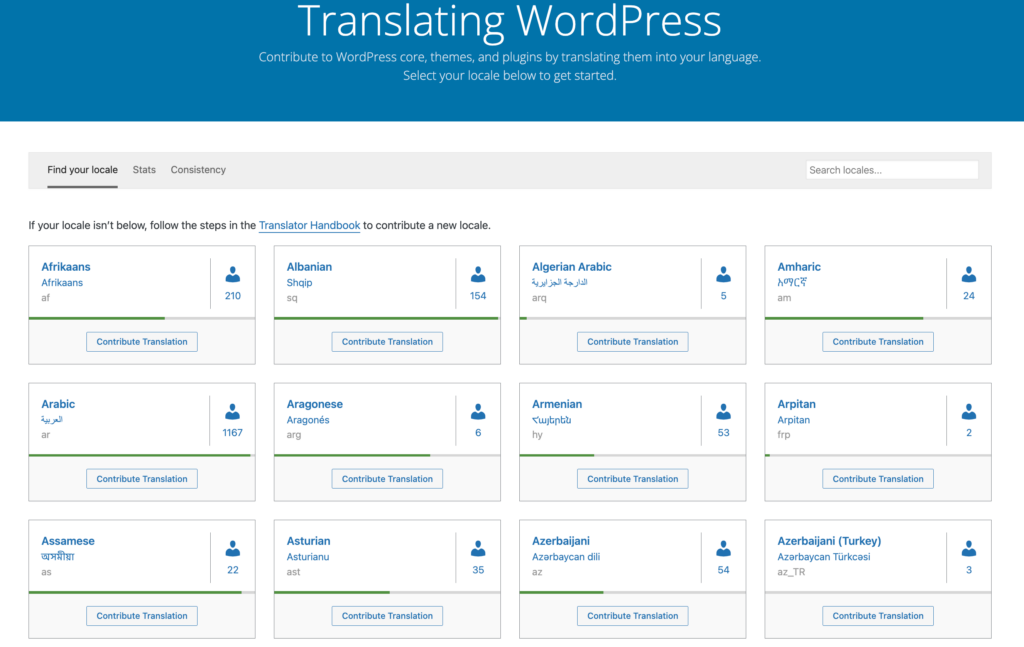
Use GlotPress (translate.wordpress.org) if:
Your plugin is in the WordPress.org repository, you are comfortable with unpredictable timelines, and getting to zero upfront cost matters more than control over when, and whether, translations are complete. Coverage is reasonable for a small number of well-supported languages: Dutch, Spanish, and French come closest to consistent quality. For most others, even popular plugins end up with partial or missing translations.
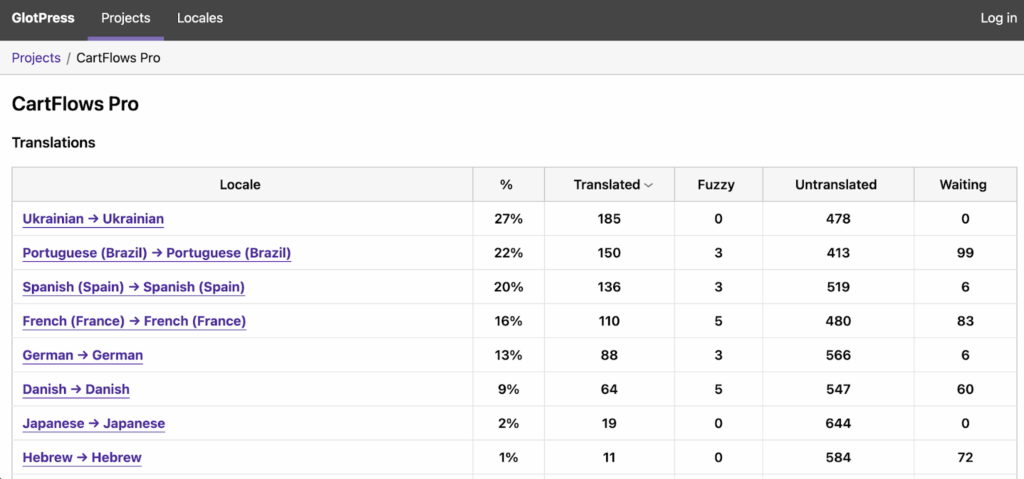
Use GlotPress (self-hosted) if:
You want to run your own translation platform on your own infrastructure, you have a community of users or contributors who are willing to translate, and you have the technical capacity to set it up and keep it running. If you do not already have translators ready to bring to it, self-hosted GlotPress will not solve the problem that translate.wordpress.org could not.
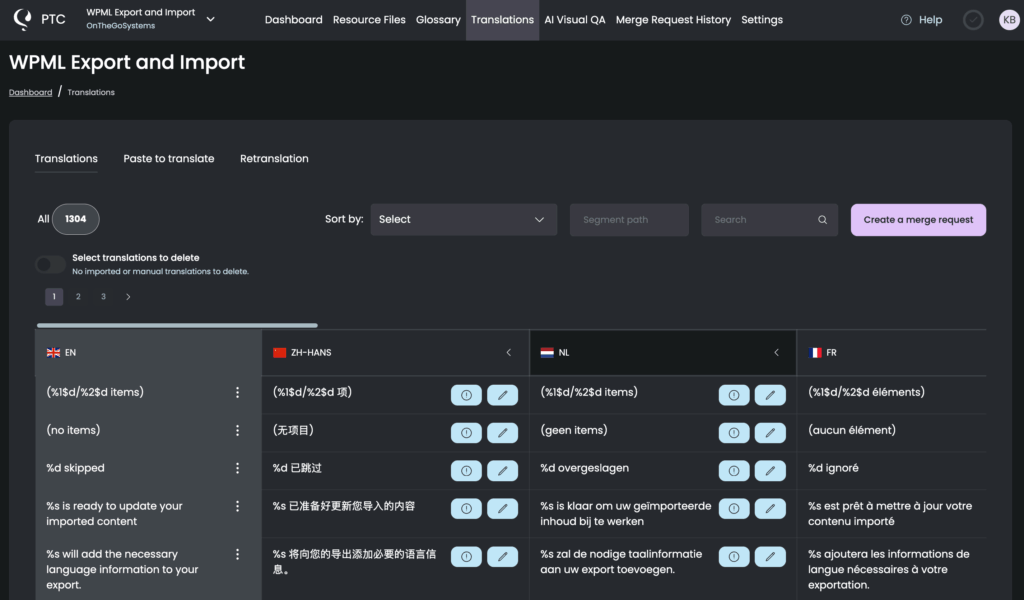
Use PTC if:
You need translations ready when your release is ready, you want complete coverage in the languages your users actually speak, and you treat your own development time as a real cost. It works whether your plugin is in the WordPress.org repository or not. Commercial plugins get the same workflow as anyone else. And because PTC handles every language simultaneously, you are not leaving any users with a half-translated product.
Quality, setup, and speed: the full breakdown
Translation quality
GlotPress on translate.wordpress.org is entirely run by volunteers. The quality depends on who contributes. This is not a criticism of volunteers, many of whom are highly skilled. It is simply how the model works. A popular plugin in a language with an active Polyglots community, like Spanish or French, will likely get good translations. A smaller plugin in a less active locale may get partial translations, inconsistent quality, or nothing at all. You have no way to influence this.
Self-hosted GlotPress gives you more control because you choose your translators. You can recruit volunteers from your own user community, or hire professional translators directly. Either way, the quality depends on who you bring in and how carefully you manage the review process.
PTC uses AI translation with automated quality scoring on every project. Each translation takes your project context and glossary entries into account. The output is consistent across languages and product versions, which matters when you are releasing updates regularly.
Setup and ease of use
Getting onto translate.wordpress.org requires almost nothing from you. Submit your plugin to the WordPress.org repository following the standard i18n guidelines, and your strings automatically become available to translators. There is no extra configuration.
Self-hosted GlotPress takes significantly more effort. You need a dedicated WordPress installation, a configured GlotPress instance, individual project setup for each plugin or theme, and locale configuration for every language you want to support. If you have never done it before, expect to spend at least a day. If something goes wrong, there is a forum and a GitHub repository, but no support team.
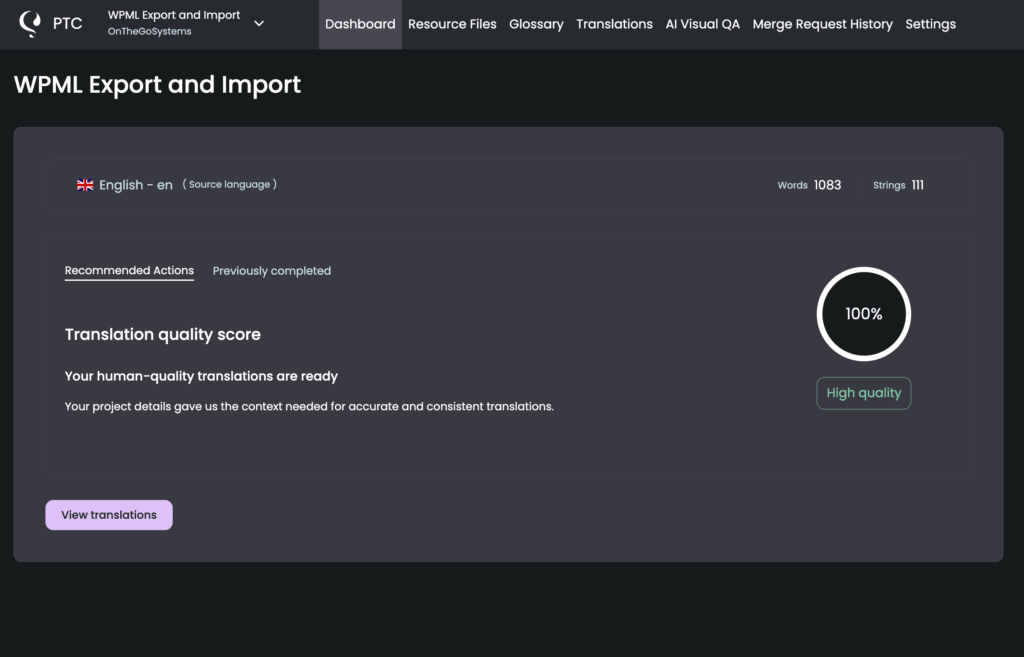
PTC guides you through a simple and intuitive setup wizard and starts translating immediately. The setup takes minutes, not hours, and there is both comprehensive documentation and a support team ready to help you every step of the way.
| translate.wordpress.org | Self-hosted GlotPress | PTC |
|---|---|---|
3 steps to get started
|
7+ steps to get started
|
2 steps to get started
|
Speed and timelines
On translate.wordpress.org, there is no timeline. Looking at the current backlog on translate.wordpress.org/stats, thousands of plugins have untranslated or partially translated strings that have been waiting for months. Some will never be fully translated. If your release schedule depends on having translations ready, this model does not work.
The consequences go beyond missed deadlines. In an analysis of the state of community translations, the WPML team found that Chinese and Hindi together account for more than 1.7 billion speakers, yet translation coverage on translate.wordpress.org is almost nonexistent for both. These are not small markets, but most WordPress plugins and themes remain inaccessible to them.
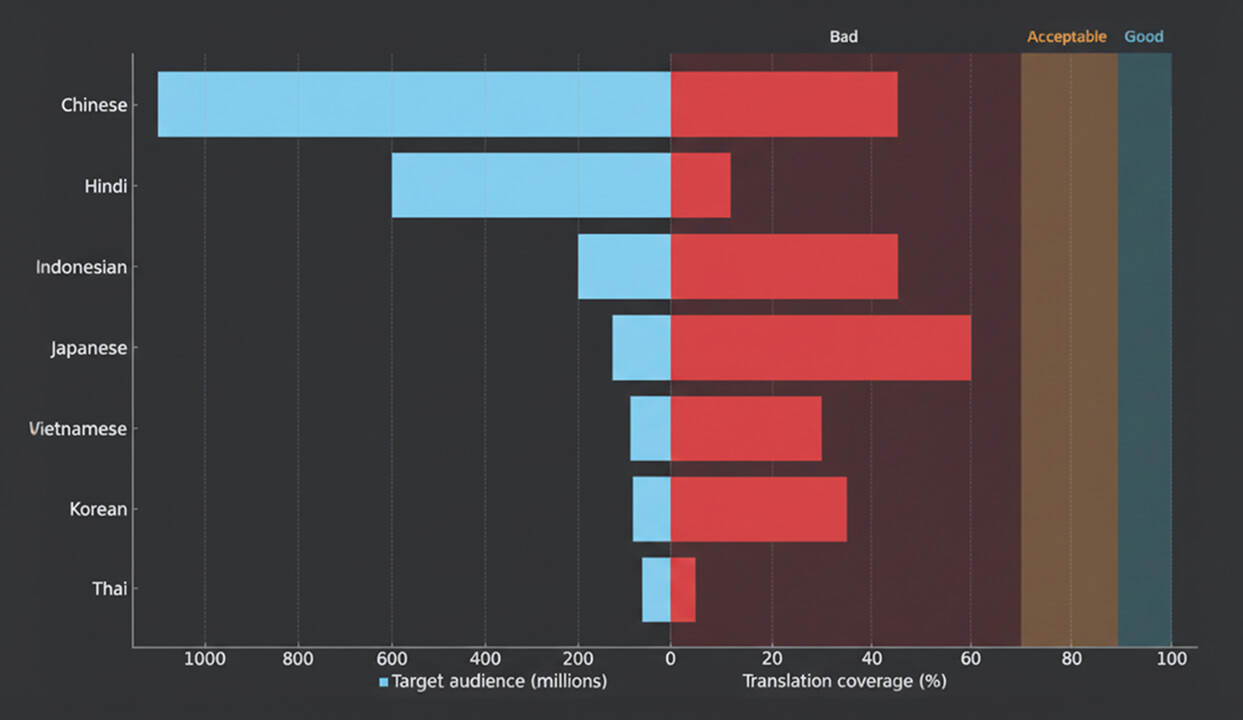
Self-hosted GlotPress gives you more control over timelines because you manage the translators directly. But you are still dependent on their availability. A translator who does not meet deadlines is a problem you have to solve yourself.
PTC translates in minutes and comes with integration options for continuous localization. Once you connect your project to GitHub, GitLab, or Bitbucket, PTC opens a merge request to your repository automatically. You never have to wait for anyone.
translate.wordpress.org
Weeks to months
or never
Self-hosted GlotPress
Days to weeks
depends on translator availability
PTC
~10 minutes
from the moment you connect
What does it actually cost to translate a theme or plugin?
Building and maintaining a plugin or theme is already expensive. Development, support, marketing: it all adds up. So when you find a free translation tool, it feels like an easy decision. The problem is that “free” only describes the price. The full cost, when you count everything including your own time, is a completely different number.
Example: a medium-size plugin with 3,000 strings, 4 languages, releasing once per quarter. Developer rate: €60 per hour.
| translate.wordpress.org | Self-hosted GlotPress | PTC | |
|---|---|---|---|
| Initial setup | None | At least one full day to install, configure, and set up projects and locales | Under 30 minutes |
| First translation | Weeks to months. Partial coverage in some locales is common. | Depends on when your translators are available | Same day |
| Direct cost | €0 | €0 with volunteers. Direct fees per language if you hire freelancers. | ~€46 |
| Developer time per release | 2 to 4 hours checking status and following up with the Polyglots community | 1 to 3 hours re-engaging translators, managing the platform, and reviewing strings | 15 to 30 minutes to review and merge |
| Quality guarantee | None | Depends on who you recruited | Automated quality scores and a money-back guarantee |
| What happens next release | The wait starts again | The process starts again. Translators must be re-engaged each time. | PTC detects new strings and sends a new merge request automatically |
| Total cost per release | €180 to €360 in developer time, with no guarantee of a complete result | €60 to €180 in developer time, plus any translator fees | ~€61 total (translation fee + review time) |
The numbers above are based on a specific example. Yours will depend on your product’s word count and number of translation languages.
Frequently asked questions
Your users deserve a fully translated product
PTC takes two steps to set up and translates in minutes. Try it free: 20,000 words into 2 languages, no commitment.


