
Learn how to use the PTC API to translate dynamic content in your Ruby on Rails (RoR) application. This includes blog posts, product information, and any text stored in your database.
Below, we’ll walk you through the process of translating dynamic content in Rails applications in two parts:
- First, you’ll learn the three API endpoints individually—how to send content for translation, check its status, and retrieve completed translations.
- Then, you’ll see how to connect these endpoints into a complete workflow using either callbacks or polling.
Before You Start
This guide assumes you have a Rails application set up with a way to store translations (like Mobility, Globalize, or your own solution).
If you’re starting from scratch or want to see a complete implementation, we’ve built a demo Rails application that shows PTC integration end-to-end. The demo uses:
- Mobility for storing translations
- dotenv-rails for environment variables
- delayed_job_active_record for background processing
Set Up PTC and Get Your API Token
To get started, you need a PTC account and API token:
- Sign up for PTC. Creating an account is free, and you can translate 20,000 words into 2 languages at no cost. Then, you pay for what you translate.
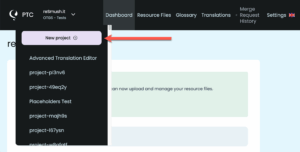
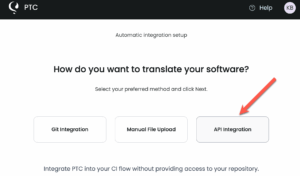
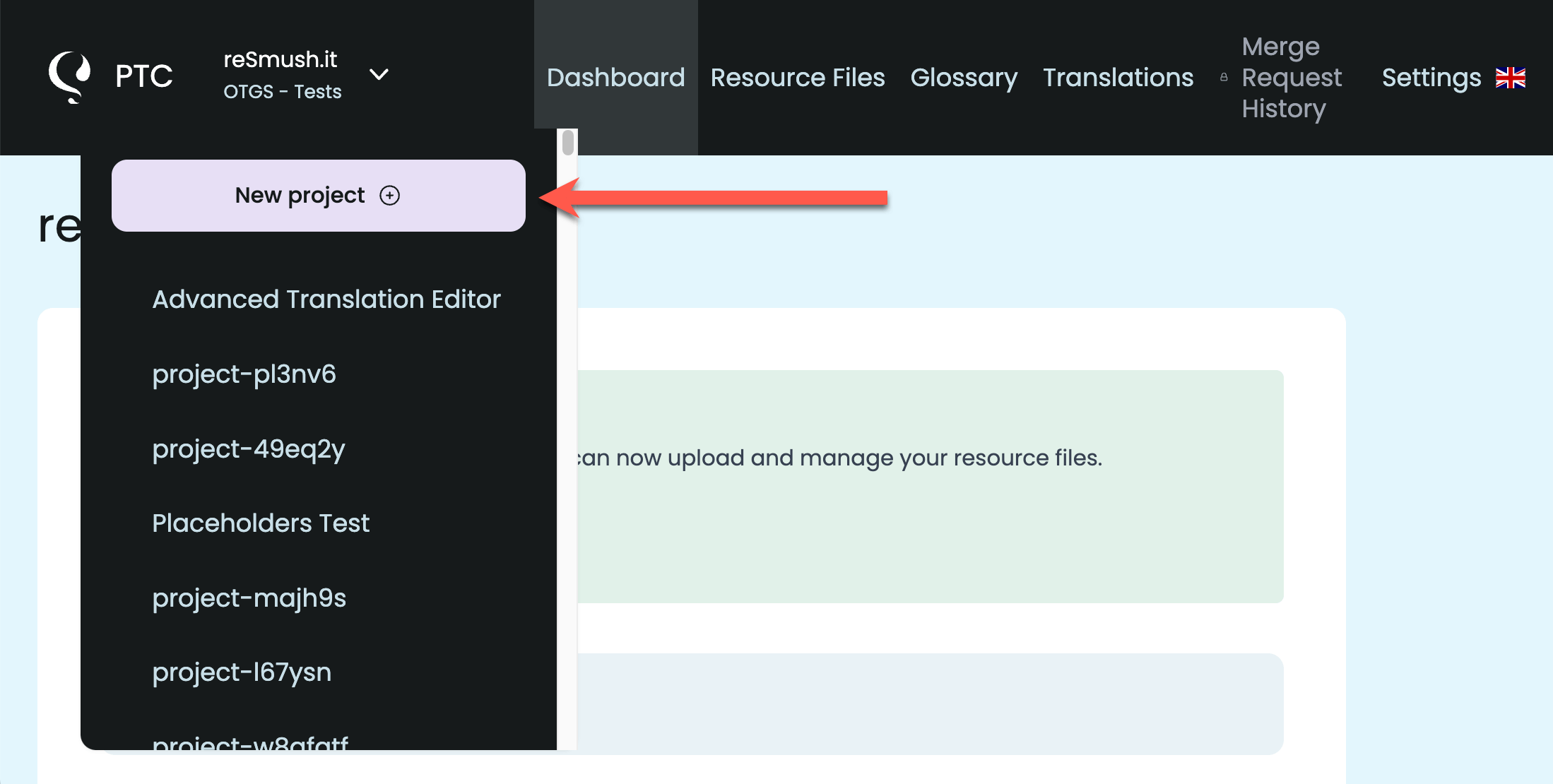
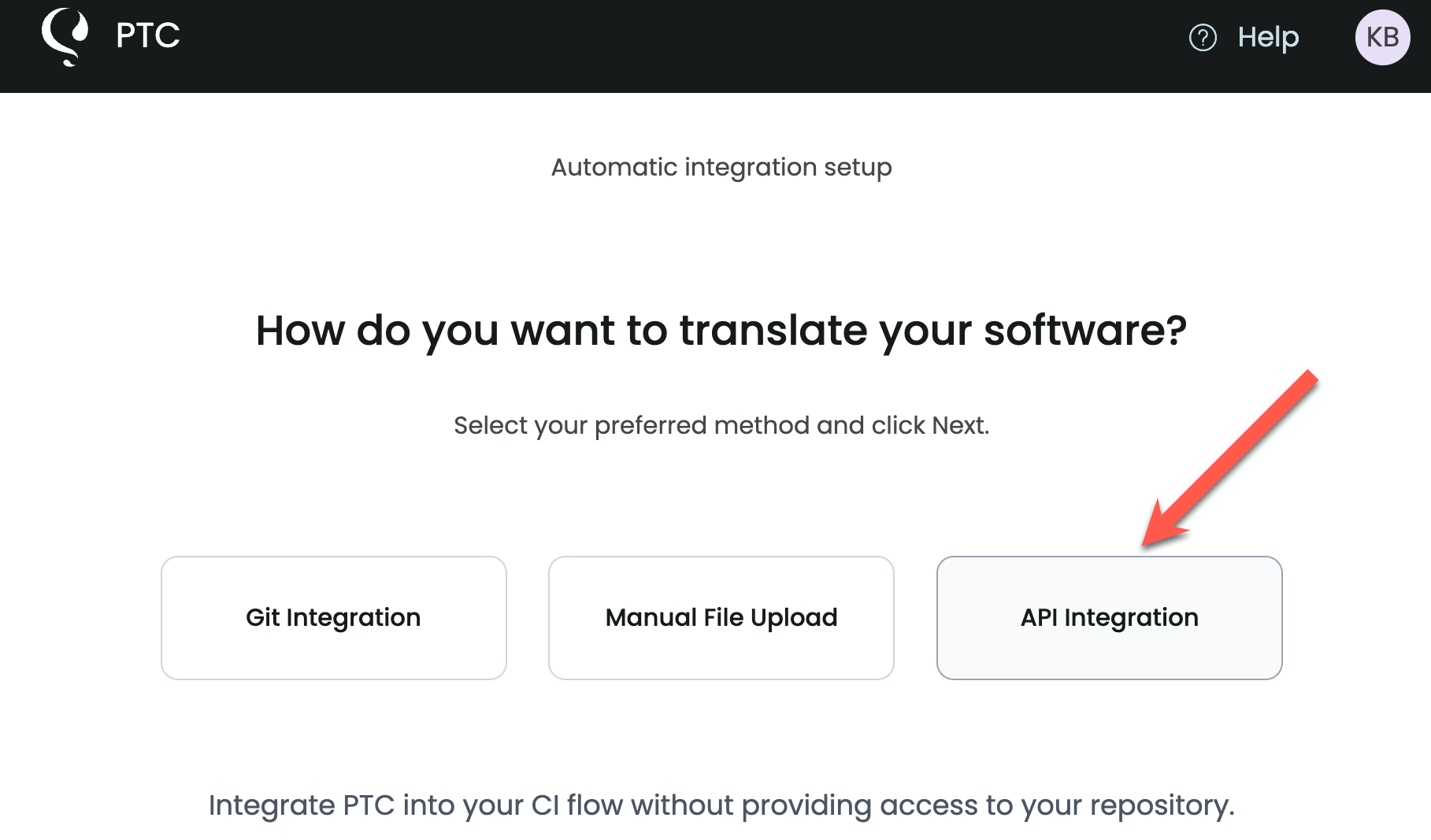
- Create a new project and select API integration.
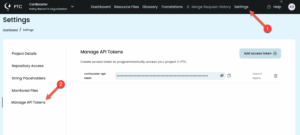
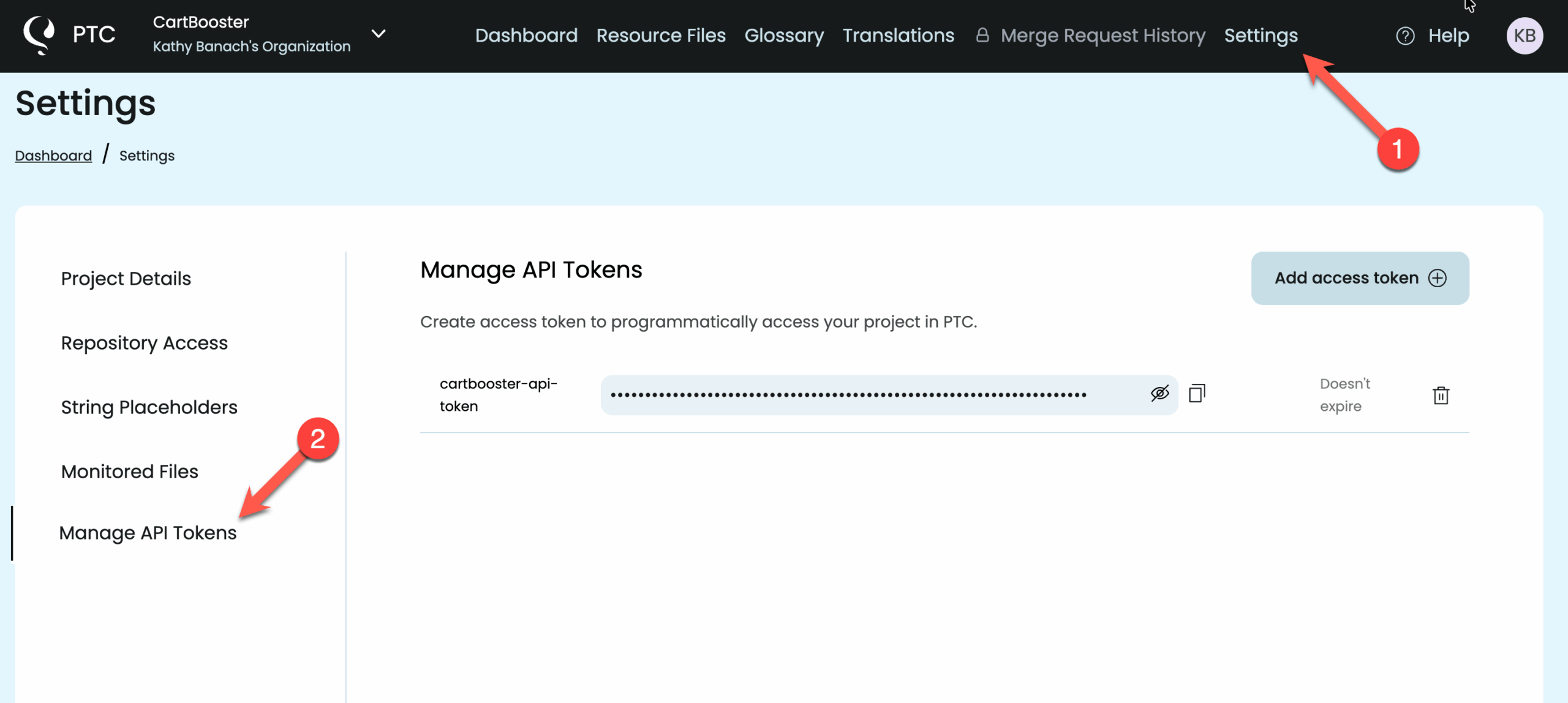
- Copy the API token that PTC generates at the end of project setup. You’ll need this token to authenticate all requests. You can find the same token in your project dashboard under Settings → Manage API tokens.
API Endpoints for Translating Dynamic Content
1
Send Content for Translation
To translate content, use the Create Content Translation endpoint. This schedules your content for translation and returns an ID you’ll use to track progress and retrieve results.
Endpoint:
POST https://app.ptc.wpml.org/api/v1/content_translationParameters:
data(required) – The content to translate as a hashname(required) – A label for this translation job (for example,"post-123-translation")target_languages(optional) – An array of language codes (for example,["es", "fr", "de"])callback_url(optional) – A URL where PTC will notify you once translations are
Here’s an example service which starts the translation:
require 'net/http'
require 'uri'

module Ptc
  class TranslateService
    def initialize(data:, name: ,target_languages:, callback_url: nil)
      @data = data
      @name = name
      @target_languages = target_languages
      @token = ENV.fetch("PTC_API_TOKEN")
      @callback_url = callback_url
    end

    def call
      translate
    end

    def self.call(**attributes)
      new(**attributes).call
    end

    private
    attr_reader :data, :name, :target_languages, :token, :callback_url

    def translate
      response = Net::HTTP.start(uri.hostname, uri.port, use_ssl: true) do |http|
        http.request(request)
      end
      JSON.parse(response.body)
    end

    def body
      {
        data:,
        name:,
        target_languages:,
        callback_url:,
      }.to_json
    end

    def request
      return @request if @request.present?

      @request ||= Net::HTTP::Post.new(uri)
      @request.content_type = "application/json"
      @request.body = body
      @request["Authorization"] = "Bearer #{token}"
      @request
    end

    def uri
      @uri ||= URI.parse("https://app.ptc.wpml.org/api/v1/content_translation")
    end
  end
end
For complete response details, error codes, and additional examples, see the Create Content Translation API documentation.
2
Check the Translation Status
To check if your translation is complete, use the Get Content Translation Status endpoint. This returns the current status and translation progress.
Endpoint:
GET https://app.ptc.wpml.org/api/v1/content_translation/{id}/statusParameters:
id(required) – The unique identifier of the content translation job to check
Example service in Rails:
require 'net/http'
require 'uri'

module Ptc
  class GetTranslationStatusService
    def initialize(id:)
      @id = id
      @token = ENV.fetch("PTC_API_TOKEN")
    end

    def call
      get
    end

    def self.call(**attributes)
      new(**attributes).call
    end

    private
    attr_reader :id, :token

    def get
      response = Net::HTTP.start(uri.hostname, uri.port, use_ssl: true) do |http|
        http.request(request)
      end
      JSON.parse(response.body)
    end

    def request
      return @request if @request.present?

      @request ||= Net::HTTP::Get.new(uri)
      @request.content_type = "application/json"
      @request["Authorization"] = "Bearer #{token}"
      @request
    end

    def uri
      @uri ||= URI.parse("https://app.ptc.wpml.org/api/v1/content_translation/#{id}/status")
    end
  end
end
The response includes a status field and percentage showing translation progress. For complete response details, see the Get Content Translation API documentation.
3
Retrieve Translations
Once your translation is complete, use the Get Content Translations endpoint to fetch the results. This returns your original content plus translated versions for each target language.
Endpoint:
GET https://app.ptc.wpml.org/api/v1/content_translation/{id}Parameters:
id(required) – The unique identifier of the content translation job to retrieve
Example in Rails:
require 'net/http'
require 'uri'

module Ptc
  class GetTranslationService
    def initialize(id:)
      @id = id
      @token = ENV.fetch("PTC_API_TOKEN")
    end

    def call
      get
    end

    def self.call(**attributes)
      new(**attributes).call
    end

    private
    attr_reader :id, :token

    def get
      response = Net::HTTP.start(uri.hostname, uri.port, use_ssl: true) do |http|
        http.request(request)
      end
        JSON.parse(response.body)
    end

    def request
      return @request if @request.present?

      @request ||= Net::HTTP::Get.new(uri)
      @request.content_type = "application/json"
      @request["Authorization"] = "Bearer #{token}"
      @request
    end

    def uri
      @uri ||= URI.parse("https://app.ptc.wpml.org/api/v1/content_translation/#{id}")
    end
  end
end
Get Notified When Translations Are Ready
You’ve learned how to send content, check status, and retrieve translations. Now you need to connect these steps so your app automatically knows when to fetch translations.
You can do this by using callbacks (recommended) or by running a job that polls the translation status.
Using Callbacks (Recommended)
When you send content for translation, you can include a callback URL. PTC calls this URL when the translation completes. Your endpoint then fetches and stores the translations.
This is efficient because PTC notifies you immediately.
module Api
  class CallbacksController < ActionController::API
    before_action :set_post

    def create
      id = callback_params[:id]

      translation_data = Ptc::GetTranslationService.call(id:)
      translation_data.except("source").each do |locale, data|
        @post.set_translation(locale:, title: data["title"], description: data["description"])
      end

      head :ok
    end

    private

    def set_post
      @post = Post.find(params[:post_id])
    end

    def callback_params
      params.permit([:post_id, :id, :status, :translations_url])
    end
  end
end
Polling the Translation Status (Alternative)
Can’t use callbacks? After sending content for translation, you can queue a background job that repeatedly checks the translation status. The job fetches translations when complete.
This approach is not recommended because it wastes resources and adds unnecessary API calls.
class CheckTranslationJob < ApplicationJob

  MAX_ATTEMPTS = 3

  def perform(id:, post_id:, attempt: 0)
    translation = Ptc::GetTranslationStatusService.call(id:)
    if translation["status"] == "completed"
      translation = Ptc::GetTranslationService.call(id:)
      post = Post.find(post_id)
      translation.except("source").each do |locale, data|
        post.set_translation(locale:, title: data["title"], description: data["description"])
      end
    else
      raise "Failed to get translation after #{MAX_ATTEMPTS} attempts" if attempt > MAX_ATTEMPTS

      CheckTranslationJob.set(wait: 1.minute).perform_later(id:, post_id:, attempt: attempt + 1)
    end
  end
end
Start Translating Your Rails Application
You now have everything you need to integrate PTC’s translation API. Create a free account and translate 20,000 words into 2 languages at no cost.